Open Source · Free Forever

You hit your Claude Code limit.

You don't know why. Again. Every single day.

One command opens a full analytics dashboard — locally, instantly, privately.

npx meraki-token-dashboard
Learn more
Dashboard Preview

Everything Claude Code
doesn't tell you.
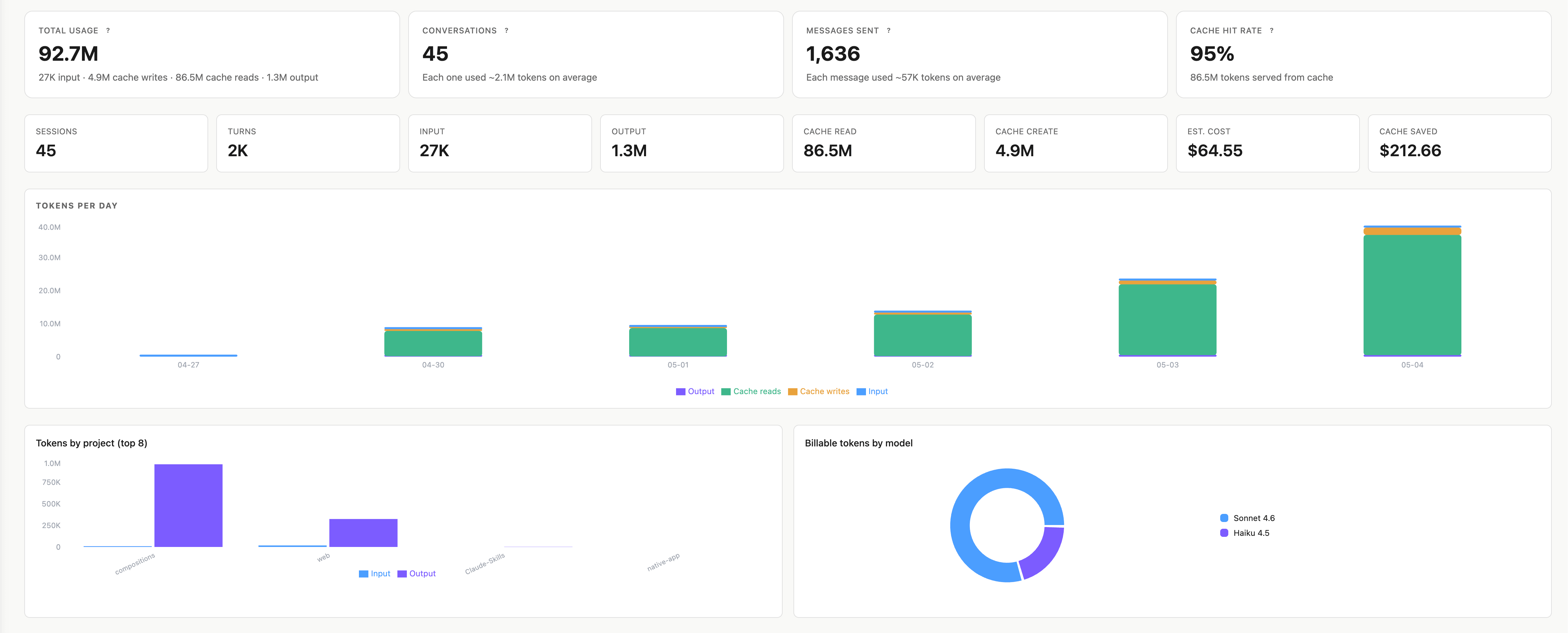
Overview dashboard — total usage, cost totals, and daily token chart
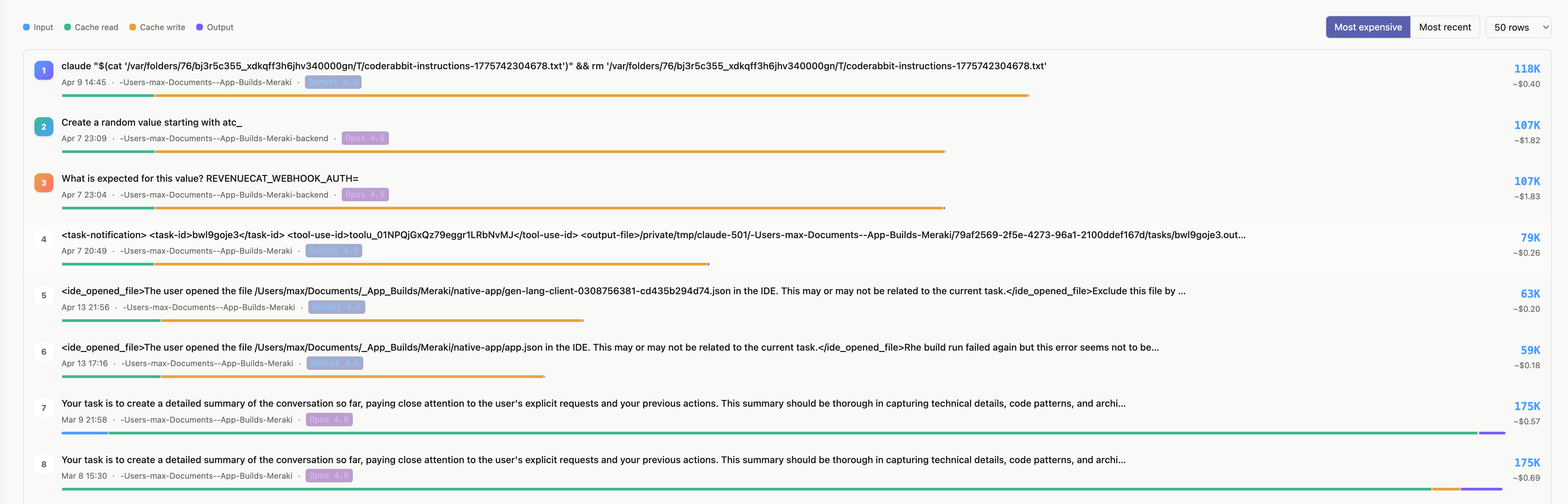
Most expensive prompts — ranked list with token counts and costs
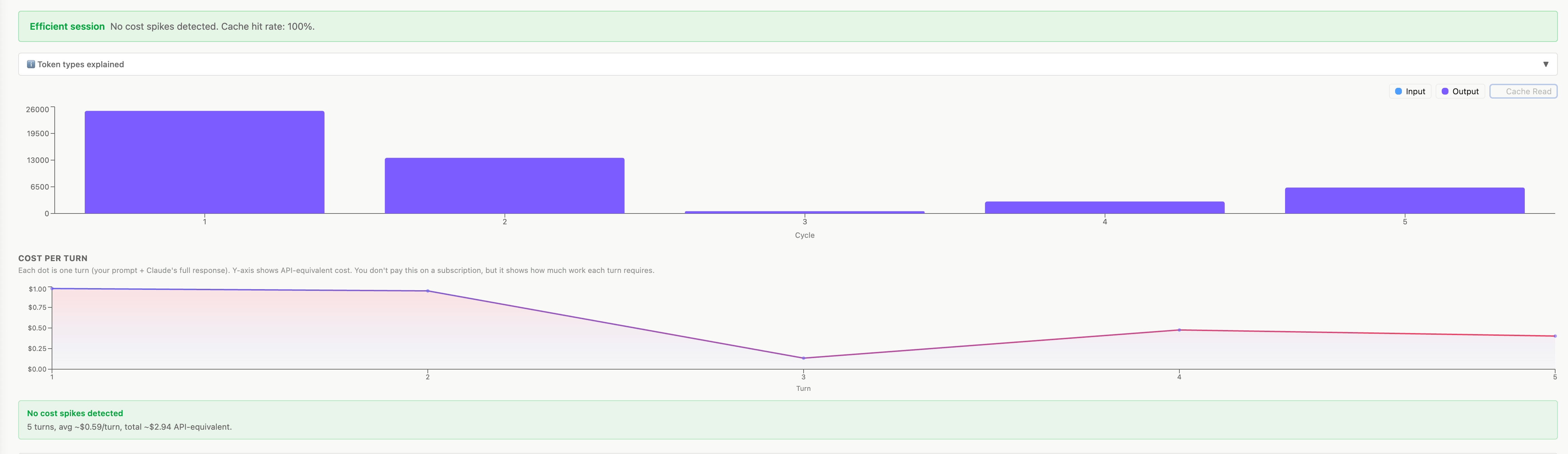
Session detail — cost per turn chart and efficiency analysis
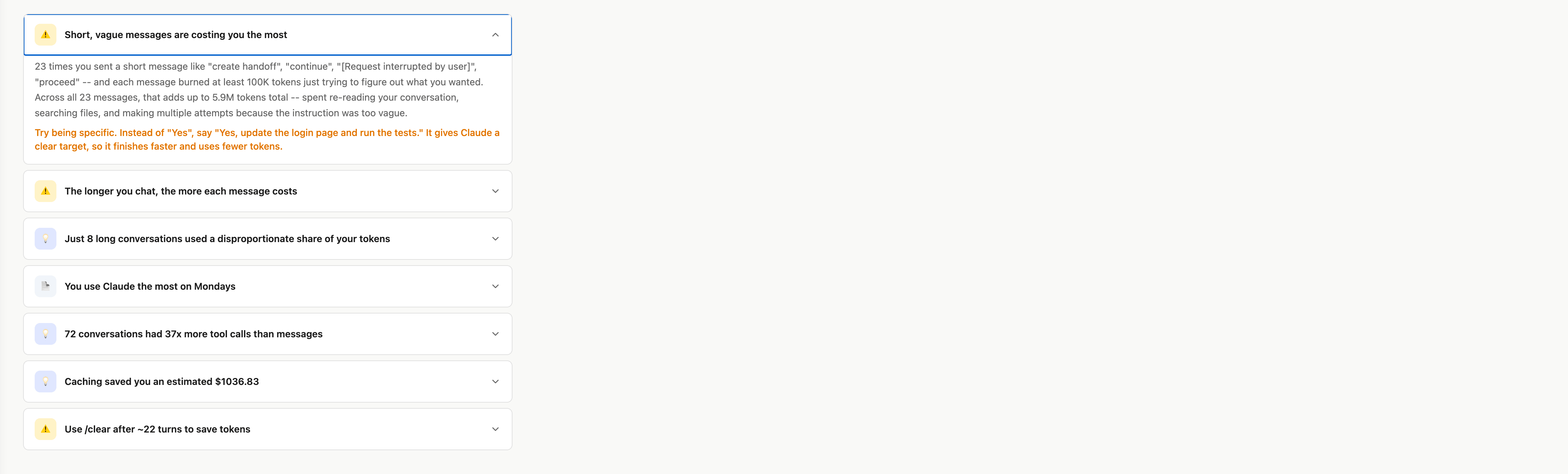
Insights — rule-based tips for reducing token spend
How It Works

Three steps. Thirty seconds.

No install. No sign-up. Your data never leaves your machine.

1
Open your terminal
On Mac: press Cmd + Space, type "Terminal", hit Enter.
On Windows: press Win + R, type "cmd", hit Enter.
2
Paste this command and press Enter
npx meraki-token-dashboard

It downloads temporarily, reads your local Claude Code data, and spins up a dashboard.
Nothing is sent to the internet
3
Your dashboard opens automatically
A new browser tab opens with your personal usage dashboard. See exactly which conversations, prompts, and projects used the most.
What You See

The answers you've been missing.

Every question you've had about your Claude Code usage, answered in one dashboard.

Cost per prompt
Every conversation ranked by spend. Find the exact queries burning through your limit.
Expensive prompts
Your top costliest queries, ranked. Instantly see which messages blow the budget.
Daily patterns
See which days you burn through it fastest. Spot patterns and pace your work.
Project breakdown
See which codebases cost the most across all your projects and sessions.
Cache analytics
Track cache hit rates and see exactly how much prompt caching saves you.
Tips engine
Rule-based suggestions that surface actionable ways to reduce cost and improve efficiency.
MS

Built by a developer who kept hitting the limit and had no idea why. Runs entirely on your machine, reads the files Claude Code already stores locally, sends nothing anywhere. Open source, always.

100% local
Zero config
No data sent
Open source

Try it now

If you use Claude Code, you already have the data. Open a terminal, paste the command, done.

npx meraki-token-dashboard